Answer from the menu bar
Allow a command once, pick an answer or type a reply. Agentbar checks the prompt is still on screen before it types anything.
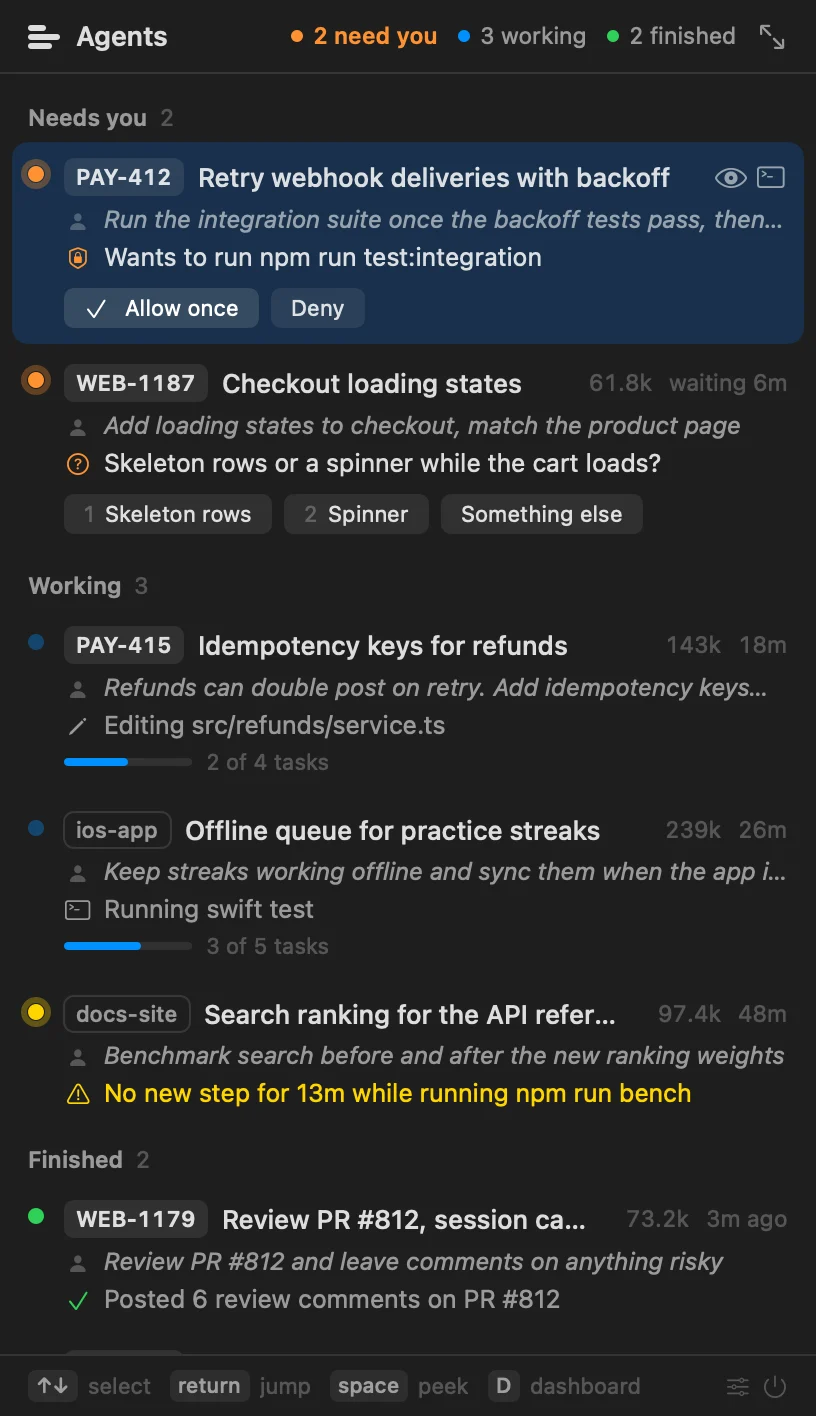
A menu bar app for Claude Code. See every agent's ticket, last prompt and current step at a glance.

Each agent gets a lane with its last 30 minutes. Orange means it is waiting on you.
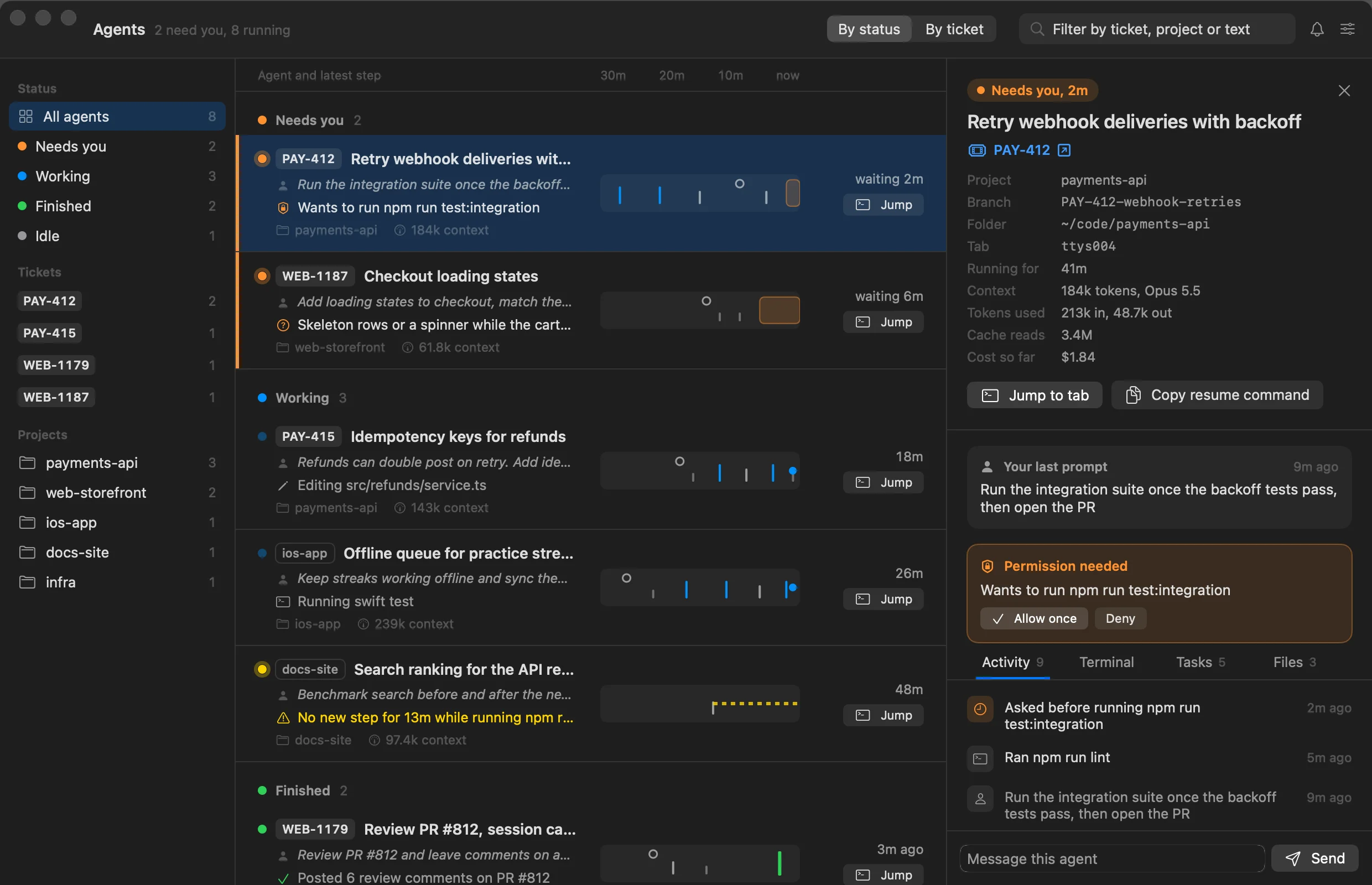
Allow a command once, pick an answer or type a reply. Agentbar checks the prompt is still on screen before it types anything.
Reuse a tab after /clear and the row still says what that agent is doing.
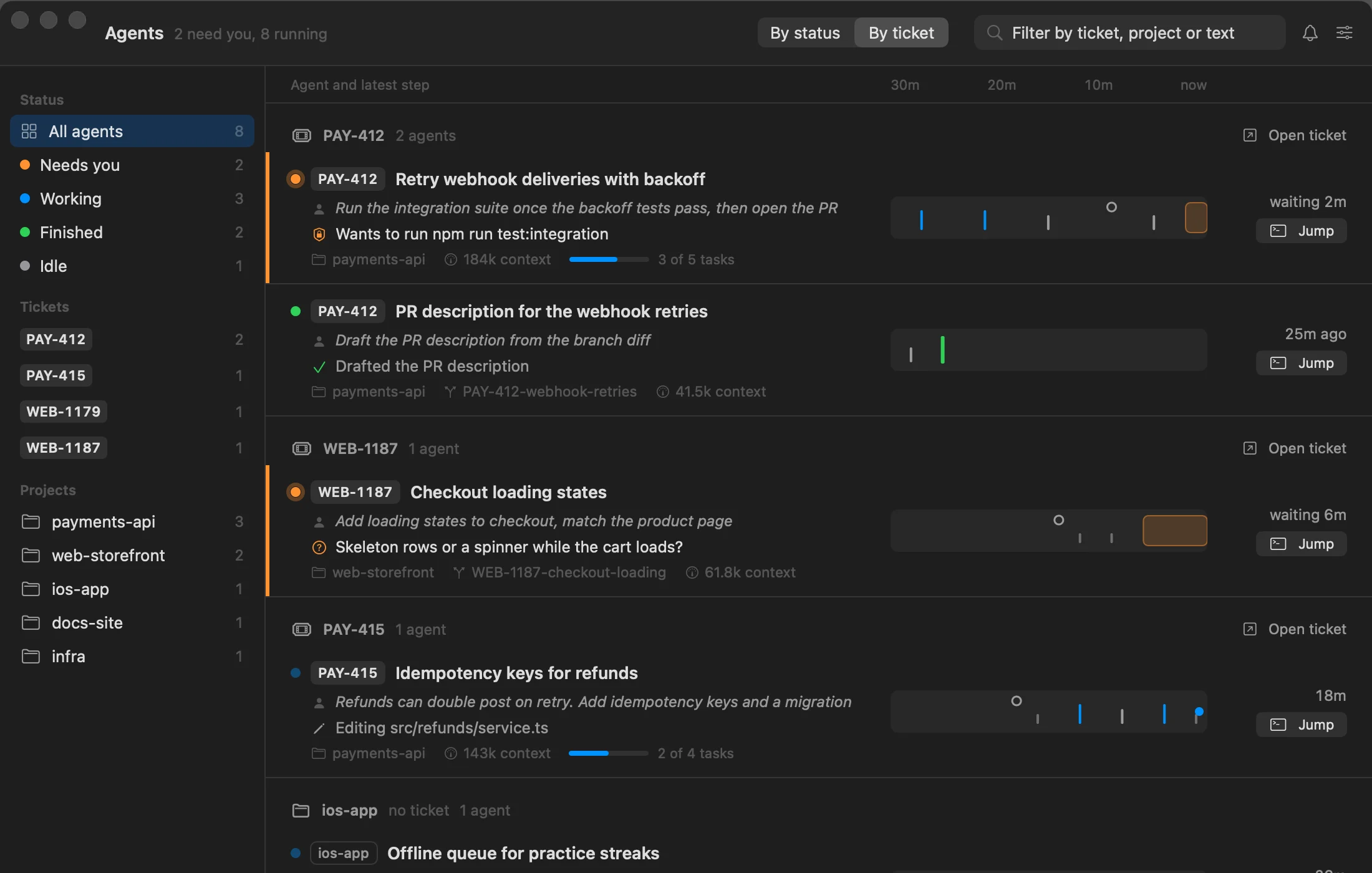
Keys come from the session title, branch or prompt, so two agents on one ticket sit together.
A mark per agent, a count, or just the icon.


A banner when an agent asks, finishes, goes quiet or runs long.
Claude Code hooks record each session as it moves: a prompt, a tool call, a permission request, a finish. Setup adds them to ~/.claude/settings.json next to the hooks you already have.
"PermissionRequest": [
  { "matcher": "*", "hooks": [
    { "type": "command", "command": "~/.agentbar/bin/agentbar-helper hook permission" }
  ] }
]
A small local helper joins that with your Terminal tabs and session logs (title, branch, last prompt) and sends one update whenever something changes.
The app turns each update into the menu bar mark, the dropdown, the dashboard and notifications. Jumping to an agent focuses its exact Terminal tab.
No account, no server, no analytics. Agentbar keeps its state in ~/.agentbar and talks only to Terminal.
To answer from the menu bar, also give Agentbar Accessibility access in its Settings. Press ⌃⌥Space to open the dropdown from anywhere. The helper runs on Python 3; if your Mac does not have it yet, macOS offers to install it the first time.